SEO is divided into three major components: on-page SEO, off-page SEO, and technical SEO. Okay, we know content and backlinks are mainstream, but this kind of fit in the stuffing under the nail. Despite its unassailable construction, technical SEO is constantly neglected.
Your website is like a building. The content is the furniture, backlinks are the reputation, but technical SEO, as always, is the foundation. If you don’t have a solid foundation in place, your website won’t last in the search results.
In this comprehensive guide, we will introduce you to the ins and outs of technical SEO including crawling and indexing, core web vitals, structured data and audits.
You will learn, step by step, how to implement the basics at the end to help rank your site higher in search engines.
What is Technical SEO?
Technical SEO is compiling the elements of how you optimize your website infrastructure to support search engines crawling into your site, understanding your pages, and allowing a better user experience.
Contrary to on-page SEO (content, keywords, headings) and off-page SEO (backlinks, mentions), technical SEO has to do with the backend and performance of your website.
Example
Lets Imagine Google As A Librarian Who Is Trying To Organise Thousands Of Books. It is useless if your book is missing pages, lacks a readable title, or is in the wrong section. The technical SEO fixes these issues that make your site difficult to be found and indexed.
Why Technical SEO is Important
Search engines use ranking factors that are not limited to keywords alone. Even with great content, you’ll lose visibility if your site is too slow, not mobile friendly, or hard to crawl and index.
Here’s why technical SEO matters:
- Search engine crawling & indexing – Even without having initially gotten any traffic to your web page, all the search engines you were expecting traffic from didn’t get any traffic either, because they can’t even query your page. The good news is that if you set up everything right, search engines normally are able to access your web page, and they index it, but at the same time if something goes wrong, all of that does not happen.
- Improved User Experience – Visitors feel pleased with fast page load, clean navigation, and no broken links.
- Better Rankings — Core web vitals, structured data and page speed are ranking signals for Google.
- Advantage over your competitors — The bigger portion of websites lack technical SEO. It will make you more distinctive by virtue of your focus.
Having Your Website Crawled And Indexed By Search Engines
So, before we jump into the solutions, let me explain how it works:
- Crawling — Where the bots of a search engine find your live page and crawl through internal links. Your pages will not appear in search results if bots are unable to crawl your website.
- Indexing – Once crawling is complete, search engines review the content and determine where that content should appear in the index.
- Ranking – When the algorithm indexes your website, it gives it a certain position through some ranking factors — speed, relevance, and user experience.
Common Technical SEO Issues
A lot of websites have problems that prevent them from ranking. Some examples include:
- Broken XML sitemaps
- Duplicate content
- Use of meta name robots along with content noindex is wrong
- High cumulative layout shift (CLS)
- Poor core web vitals
- Missing or incorrect structured data
- Non mobile friendly design
- Slow pages load time
All of them can damage crawling and user experience reasons.
Step-by-Step Technical SEO Guide
Perform a Site Audit
The first step that has to be done in order to identify these technical issues is performing a site audit. Similar to a search engine, tools such as Screaming Frog, Ahrefs, or SEMrush will crawl your site, find issues.
Key areas to check:
- Broken internal and external links
- Redirect chains
- Missing structured data
- Meta name robots content noindex tags on pages
- Pages without any internal links i.e., orphan pages
- Duplicate titles and meta descriptions
Optimize Page Speed
Speed is one of the factors in ranking that Google cares about. A website which takes a while to load will not only provide a bad experience to the user but will also increase the bounce rate.
To check your site performance, you can use PageSpeed Insights.
Tips to improve speed:
- Compress images
- Enable browser caching
- Employ a Content Delivery Network (CDN)
- Minify CSS, JavaScript, and HTML
- Optimize server response time
Bonus Tip: Keep testing the live page after making changes, in a view to faster loading of your pages.
Improve Core Web Vitals
There are several performance metrics in terms of core web vitals, which provides the right assessment of your website by Google itself:
- Largest contentful paint (LCP): Measures the loading speed.
- FID (First Input Delay): This is used to measure the interactivity.
- Cumulative Layout Shift (CLS): This metric helps you understand visual stability.
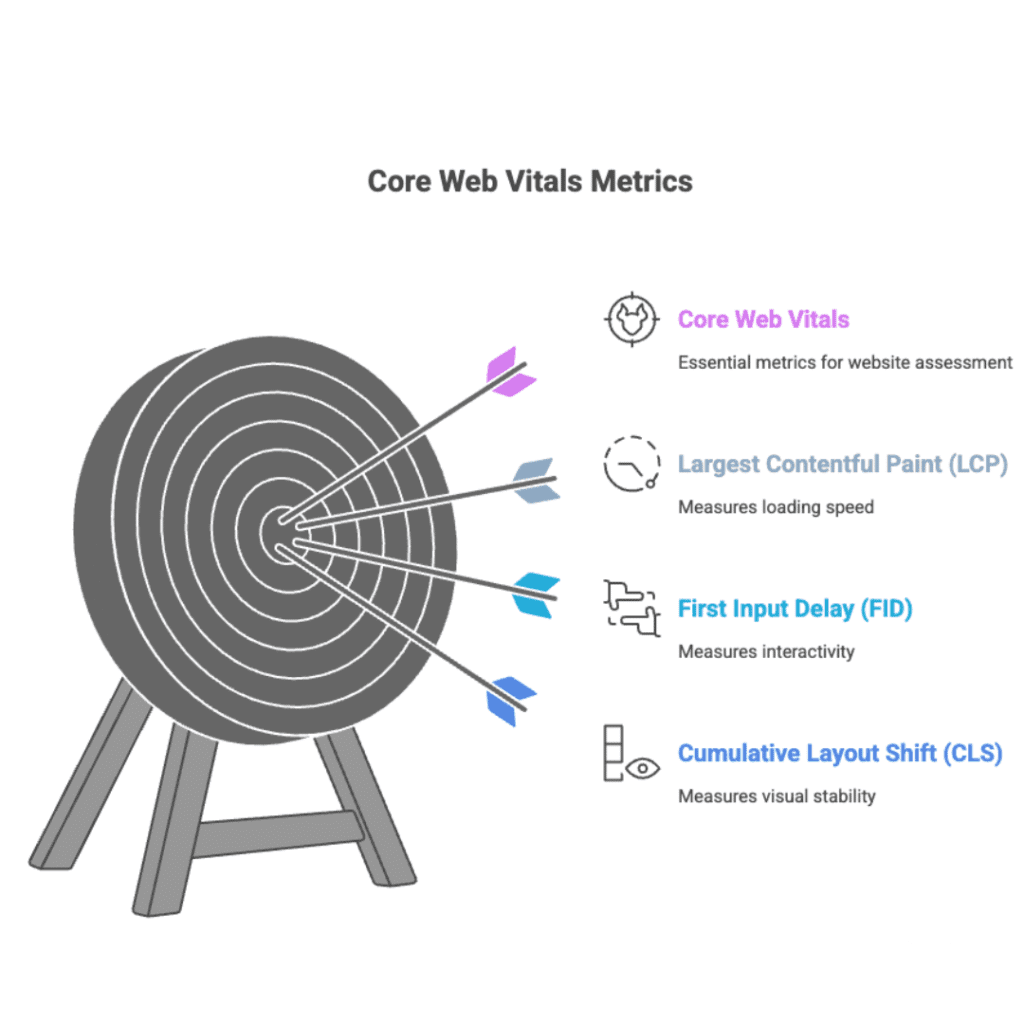
For instance, if ads or images push the content down while the user is reading, you will have a high CLS score and consequently, rankings can be affected.
Ensure Mobile Friendliness
When most of your traffic comes from mobile, Google uses mobile friendy index first.
Use Google’s Mobile-Friendly Test to see how your site measures up.
Key practices:
- Use responsive design
- Avoid pop-ups that block content
- Make text readable without zoom
- Tapable buttons and links should be easy to hit
Fix Crawling and Indexing Issues
Your website should be discoverable and crawled by the search engines.
Steps to take:
- Generate an XML sitemap and then submit it on google search console.
- Correct errors found in coverage report
- Fix blocked resources in robots.txt
- Apply meta name robots content noindex on pages you do not want to show up in search results
For instance, a thank you page after submission must include a noindex tag, your home age should not.
Use Structured Data
Structured data (schema markup) also makes it clear to search engines exactly what your content is all about.
Benefits include:
- Search results (stars, reviews, and FAQs) rich snippets
- Better visibility
- Improved click-through rate
Types of structured data:
- Articles
- Local businesses
- FAQs
- Recipes
- Products
Manage Duplicate Content
When the search engine crawlers are trying to group every content into a unique webpage with a unique URL, duplicate content creates confusion during the crawling and indexing process.
Fixes include:
- Using canonical tags
- Redirects duplicates to main page
- Avoiding thin or copied content
Secure Your Website with HTTPS
HTTPS is a ranking factor from Google. If your site is still running over HTTP, it should be performing an immediate switch to HTTPS.
Monitor User Experience
If you want to win at SEO, smooth user experience is crucial.
Factors to check:
- Faster way to travel in between the pages of your site
- No intrusive popups
- Quick interaction and no layout shifts
- A clean, mobile friendly design
Regular Technical SEO Maintenance
Technical SEO is NOT a set it and forget it.
Checklist:
- Run monthly site audits
- Monitor core web vitals
- Keep your XML sitemaps updated
- Fix broken links quickly
- Check meta name robots content noindex
- Update structured data when needed
Tools to Improve Technical SEO
- Google Search Console – To check crawling and indexing reports
- PageSpeed Insights — For url speed and core web vitals analysis
- Screaming Frog (Site Audits, broken links)
- Ahrefs / SEMrush — For Technical & Content Audits
- GTmetrix is for more advanced speed testing
Common Mistakes in Technical SEO
- Forgetting to submit XML sitemaps
- Using noindex tags incorrectly
- Overlooking mobile friendly optimization
- Ignoring core web vitals
- Failure to Update Old Content Following Tech Modifications
Final Thoughts
Technical SEO is your hidden arrow to ranking but it sounds rather complicated. With these tips and using a combination of speed, structured data, core web vitals, XML sitemaps, and optimising the crawling and indexing of your site, you can build a site that search engines love and users trust.
Note — SEO is not just about keywords, it is not just what you write behind the scenes it is also what makes your website work singing musicians. Your awesome content deserves to be found, but a good technical base will guarantee that.